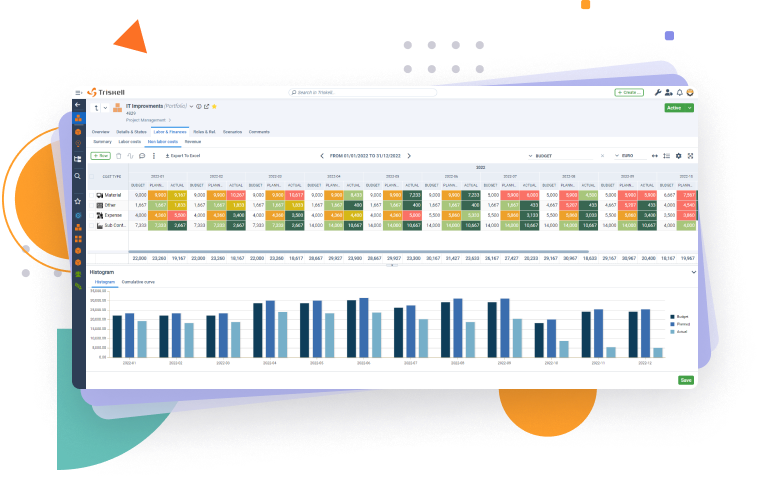
Turn portfolio data into actionable intelligence. Connect Triskell’s PPM capabilities with Power BI’s advanced analytics to build executive-grade dashboards, unify your KPIs, and drive portfolio decisions based on real data.
From executive reporting to governance automation, the Triskell–Power BI integration delivers measurable value across the entire organization.
Build role-based views for C-level, PMO, and Finance teams — from strategic alignment and investment mix to CAPEX/OPEX variance — all traceable back to live Triskell records.
Define on-time delivery, schedule variance, and portfolio utilization once — and end the proliferation of conflicting Excel formulas across departments.
Replace manual steering deck preparation with standardized Power BI report pages that drill from portfolio to project to work item, refreshed on schedule and ready for every review cycle.
Use Power BI as the consolidation layer to correlate portfolio governance data from Triskell with execution data from Jira, financial actuals from SAP, and headcount from HR systems — all in one model.
Use Triskell’s built-in reporting feature to define the dataset you want to share. Select the objects, fields, and filters that matter for your analysis.
Find your unique API token in your Triskell user preferences. No admin setup required — each user manages their own secure key.
Drop the Triskell custom connector file into your Power BI Desktop folder, enable custom extensions in security settings, and restart. The connector will appear instantly in the “Get Data” menu.
In Power BI, select the Triskell connector, enter your server address, account name, API token, and the report ID you created. Then click OK.
Your Triskell data loads directly into Power BI. Build your dashboards, set an automatic refresh schedule, and your team always has up-to-date portfolio intelligence.
Power BI is one of many native integrations. Triskell Software connects with the applications your teams already rely on.
Get started today
Request a demo of Triskell’s Enterprise PPM software and discover how it can suit the governance and management challenges of your organization.
No. The integration uses a pre-built custom connector that is installed in minutes. Any Power BI user who can access the “Get Data” menu and has a Triskell API token can establish the connection without IT involvement or custom development.
You can expose any data available through Triskell’s reporting engine — portfolios, projects, resources, financial forecasts, timesheets, risks, and custom fields. You define the dataset in Triskell using stored selectors and SQL queries, then pull it directly into Power BI via the API.
The connection is dynamic. Power BI pulls data from Triskell in real time via the REST API each time a refresh is triggered. You can configure automatic refresh schedules so dashboards always reflect the latest portfolio status without any manual intervention.
Yes. Authentication is managed through personal API tokens — each user connects with their own credentials, and access is governed by the permissions already defined in Triskell. On the Power BI side, you can apply row-level security so that business unit leaders or project managers only see the data relevant to their scope.
Absolutely. This is one of the most common reasons organizations use this integration. Power BI acts as the consolidation layer where Triskell portfolio data is joined with SAP financial actuals, Jira delivery metrics, HR headcount, and any other connected source — enabling cross-system analytics that no single tool can provide alone.
The Triskell connector handles pagination automatically. It retrieves data in configurable batches and reassembles the full dataset in Power BI, so large portfolios with thousands of projects, resources, or financial entries are supported without any manual workarounds.
We use technologies such as cookies to store and/or access device information. We do this to improve the browsing experience and to display (non-) personalized advertisements. Consenting to these technologies will allow us to process data such as browsing behavior or unique ID's on this site. Not consenting, or withdrawing consent, may adversely affect certain features and functions.