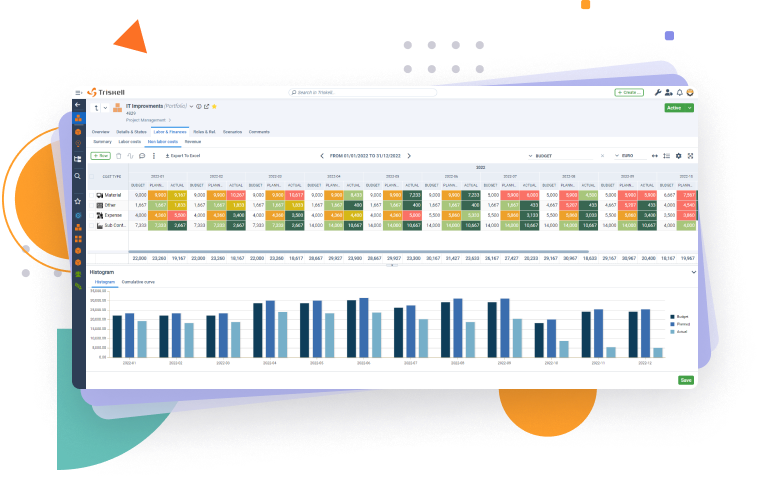
Portfolio governance, powered by your existing plans. Connect Microsoft Project with Triskell Software and turn detailed schedules into real-time portfolio intelligence without asking your project managers to change how they work.
Four ways that connecting Microsoft Project to Triskell eliminates manual work
and improves decision-making at every level.
Project managers continue working in Microsoft Project, managing WBS, dependencies, and critical paths as they always have. PMO leaders and executives simultaneously get a live, consolidated view in Triskell: status, milestones, forecast dates, and health indicators across the entire portfolios,
Triskell automatically syncs key milestones, baseline vs. forecast dates, and progress indicators from Microsoft Project, so portfolio timelines always reflect what is actually happening in the schedule tool.
While Microsoft Project remains the planning workspace, Triskell acts as the governance wrapper, controlling when plans are baselined, when scope or date changes require approval, and keeping a full version history for stage-gate decisions.
Microsoft Project handles resource assignments within a single project well, but it cannot answer cross-portfolio questions. By rolling up effort and capacity signals into Triskell, you can identify overloaded roles across the entire demand pipeline, model the impact of starting new projects, and make capacity decisions that are grounded in real schedule data.
Install the Triskell add-in directly inside Microsoft Project — Standard or Professional, desktop or Project Server.
From inside Microsoft Project, each project manager picks the Triskell project they want to connect to — or simply loads an existing MPP file directly into the Triskell database.
Choose the data you want to flow: milestones, start and finish dates, percentage complete, and optionally effort summaries. You stay in control of exactly what Triskell receives.
When a project manager updates a task duration or milestone date in MS Project and saves via the add-in, the change is pushed instantly to Triskell.
Save your configuration and Triskell automatically creates the required business rules and webhooks. From this point on, your two platforms stay in sync automatically, in real time.
INTEGRATION AT A GLANCE
Upload an MPP file to the Triskell database. All tasks become immediately available to every Triskell function: roadmaps, financials, resource planning, and dashboards.
Keep a live connection between your MS Project desktop and Triskell. Changes flow directly to the portfolio layer the moment you save them.
Native integrations across planning, development, finance, and collaboration tools, so Triskell becomes the single governance layer across your entire enterprise.
Get started today
Request a demo of Triskell’s Enterprise PPM software and discover how it can suit the governance and management challenges of your organization.
The integration works with both Microsoft Project Standard and Professional, starting from version 2013. You do not need to upgrade to the Professional edition. The same compatibility applies whether you are using the desktop version or Project Server.
No. Project managers can continue working in Microsoft Project exactly as before — building WBS, managing dependencies, and updating task durations. Triskell reads the data they produce; it does not require any change to how project plans are structured or maintained.
The integration synchronises key milestones, baseline and forecast dates, start and finish dates, and percentage complete. You can optionally include high-level effort summaries. Detailed task-level data below the agreed level stays in Microsoft Project and does not need to be exposed to the portfolio layer.
There is no custom development required. The Triskell add-in for Microsoft Project is installed directly inside the application. From that point, project managers can check out a project, make updates, and push changes to Triskell in a few clicks through the Triskell API. The entire setup takes minutes.
Yes. Triskell is designed for hybrid environments. It integrates natively with Microsoft Project for waterfall and traditional project management, and also integrates with tools like Jira and Azure DevOps for agile delivery. Triskell acts as the common governance layer where all methods report consistently, using standardised KPIs regardless of the underlying delivery approach.
All of Triskell’s native functions remain fully available. Once a Microsoft Project plan is connected to Triskell, the portfolio roadmap, master plan, time-phased financial management, resource capacity planning, dashboards, and scenario modelling all work exactly as they would if the schedule had been built natively inside Triskell.
We use technologies such as cookies to store and/or access device information. We do this to improve the browsing experience and to display (non-) personalized advertisements. Consenting to these technologies will allow us to process data such as browsing behavior or unique ID's on this site. Not consenting, or withdrawing consent, may adversely affect certain features and functions.